



ACCOUNT
Account status
Check whether phone verification is complete and whether any account detail needs attention. We place this status near your profile rather than hiding it inside the casino lobby.
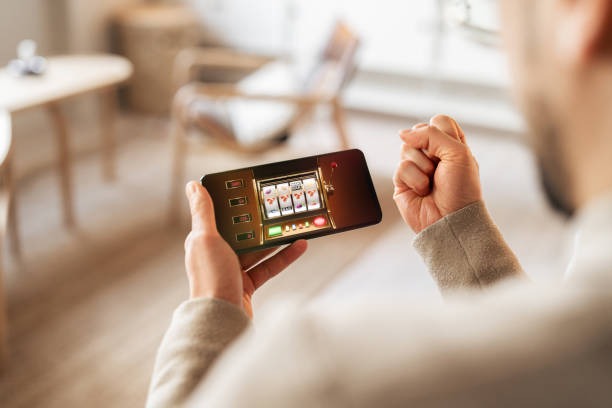
The ringbet88 home puts Dragon Tiger, Fishing God, slots and football markets behind one account, with your local wallet status close to the cashier.
Access is available only where local law permits.
Our casino and slots area opens from the main home navigation, with search available on mobile and category controls close to your wallet status.

Casino rooms appear first, followed by live tables, fishing titles and sportsbook markets that you can reach from the home navigation.
Pragmatic Play, PG Soft and Habanero sit among the studio filters you can open from our casino and slots home area.
DANA, OVO, GoPay and QRIS appear in the cashier reached from our home account path.
The home page is your starting point, but several durable areas answer practical questions before and after account creation.
Check whether phone verification is complete and whether any account detail needs attention. We place this status near your profile rather than hiding it inside the casino lobby.

Your cashier history records submitted wallet actions and their current state. Use it when a DANA, OVO, GoPay or QRIS transaction needs a receipt or status check.
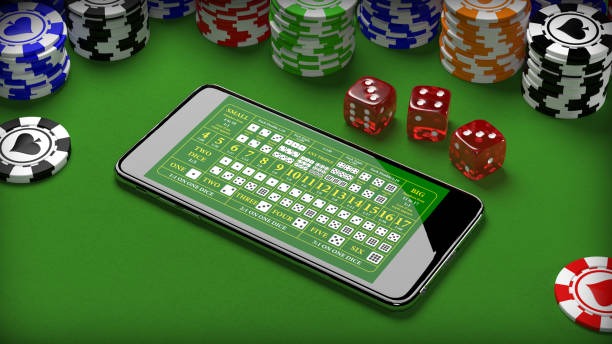
Open the rules panel before a round to see how Dragon Tiger, blackjack or a slot feature works. Available return data appears within the relevant game display.

Our footer links take you to account terms, privacy wording and access conditions. Read them before creating an account, particularly when eligibility depends on local law.
A phone number starts the account path, and verification comes before full account access.
Choose the account option from home, enter the requested details and complete phone verification. We show each stage in order so you know when your account is ready for lobby access.
Use accurate personal and contact details because later withdrawal checks refer back to your account record. Your account menu shows verification and wallet status after you enter the home lobby.
Casino rooms, slots, live tables and sportsbook markets use the same navigation. You can open Fishing God, find badminton markets or return home without creating a second account.
Keep your password private and use the phone verification path when prompted. If access stalls, open the help panel from the account area before making repeated attempts.
Our mobile home keeps login, the casino lobby, sportsbook categories and the cashier in one responsive browser path.
Phone verification forms the first checkpoint before full account access. After entry, keep your password private, confirm that wallet details match your account and use the…
We confirm the phone step before full account access. This connects your contact record to the account path and supports later checks when you request help.
Your password should remain known only to you. Enter account details through our domain and contact us through the home help area if an unfamiliar prompt appears.
Use the cashier rather than sending funds from an unlisted instruction. Each submitted action should create a visible state or reference that you can check afterward.
Open the supplied rules for slots, live tables and fishing titles before starting. The panel explains controls and outcomes for the selected game version.
Searching across unrelated pages can separate game rules, account steps and payment instructions from the activity they govern.
Return data varies by title, configuration and game category, so we do not apply one figure to the entire home lobby.
Check the individual rules panel for available return data and feature behaviour.
Read the table limits, wager rules and outcome details before taking a seat.
Use the table panel to confirm card outcomes, side wagers and current limits.
Open the title instructions to see controls, values and session rules.
Market rules and settlement wording appear with the relevant betting section.
Our browser-based home is configured for Indonesia payment choices and can be reached on supported phone, tablet and computer browsers. You can follow the same account and lobby route from Bandung without changing wallet menus or creating another profile. Regional access and eligibility depends on local law, and available games or services may differ by location. Check the access wording shown during account creation before submitting personal details or funds.
Useful home features should be visible before you need them. We place the game search beside category navigation, wallet status inside the cashier, phone verification in the account…
These answers cover the practical questions you may have when reaching our home page for the first time. They explain account entry, local availability, lobby contents, wallet access, mobile behaviour and support routes using the controls we provide. Check the account, cashier and policy panels for the wording that applies to your session, especially when a transaction or eligibility condition needs confirmation.
Begin with the account control when you need verification or profile status. Use Casino for slots, live tables and Fishing God; choose Sportsbook for football, badminton or basketball markets.
Open this area for phone verification, profile details and account status. Resolve any incomplete detail before moving to a withdrawal request.
Use Casino to reach slots, Dragon Tiger, baccarat, roulette, blackjack and fishing titles. Category filters and mobile search narrow the visible selection.
Choose a listed local rail, follow the displayed steps and keep the resulting reference. Transaction history is also available from this account area.
Open Help for live chat, email and current service availability. Include a concise description plus any relevant account or transaction reference.